AI tools have taken over the marketing conversation, but I do not think the interesting question is "Which AI tool is the best?"
The better question is: which part of the marketing workflow is the tool actually improving?
I care about tools that help me do one of five things better:
- Find the right market, account, or contact.
- Understand what people are already doing.
- Create useful content or creative faster.
- Run better outbound, paid, and lifecycle campaigns.
- Turn messy marketing work into repeatable systems.
Some of the tools below are tools I would put in a serious growth stack today. Some are tools I am actively evaluating because they sit in an important part of the workflow. And a few are tools I would keep on the commercial-content radar because they have strong market demand and make sense for future reviews.
Quick note before the list: I am not treating this like a sponsored ranking. If a tool is not something I would use or test inside a real growth workflow, it should not be here.
The Short Version
If I had to build a lean AI marketing stack right now, I would start with:
- Claude for strategy, writing, analysis, and internal tools.
- Clay for GTM research, enrichment, and workflow building.
- Gumloop for AI automations and repeatable internal workflows.
- Hightouch for data activation when the company already has a usable warehouse.
- Instantly or Smartlead for controlled outbound execution.
- Semrush and Surfer for SEO, content, and AI visibility work.
- Canva Magic Studio or AdCreative.ai for fast ad and creative iteration.
- Vector and AdQuick for paid media workflows that go beyond standard Meta/Google dashboards.
For a broader evergreen breakdown, I would keep this paired with the more structured best AI marketing tools page. This post is the field note version: more personal, more opinionated, and more focused on how I think about the tools.
What I Use AI For In Marketing Now
In 2026, AI marketing is not just "write me a blog post."
The real shift is that marketers can now connect data, instructions, and execution. That sounds abstract, but the workflow is pretty simple:
- Pull in useful data.
- Tell AI what to look for.
- Turn the output into a campaign, audience, workflow, asset, or internal decision.
That is why my favorite AI marketing tools are not only writing tools. The most useful tools are the ones that help with:
- Audience building
- Competitive research
- Enrichment
- Content briefs
- Search visibility
- Outbound personalization
- Paid media targeting
- Creative production
- Attribution
- Internal workflow automation
The tools that only generate generic copy are becoming less interesting. The tools that sit close to data and action are getting more interesting.
How I Picked These Tools
I used five filters:
- Workflow fit: Does the tool improve a real marketing workflow?
- Data advantage: Does it help me use better data or interpret messy data faster?
- Execution speed: Does it reduce manual work without destroying quality?
- Control: Can a marketer review, edit, and steer the output?
- Commercial relevance: Would a serious growth operator, founder, or marketing team actually consider buying this?
That last one matters. A lot of AI tools are fun demos. I am more interested in tools that could live in a B2B growth stack.
Here is the full list.
The 30 Best AI Marketing Tools I'm Using And Evaluating
| Tool | Best for | Where it fits |
|---|---|---|
| Claude | Strategy, writing, analysis, internal tools | AI copilot |
| Clay | GTM research and enrichment | Data and outbound |
| Hightouch | Customer data activation | Lifecycle and paid audiences |
| AdQuick | Out-of-home planning and measurement | Paid media |
| Unify | Intent-led outbound | AI GTM system |
| Instantly | Cold email execution | Outbound |
| Gumloop | AI workflow automation | Internal operations |
| Crayon | Competitive intelligence | Product marketing and sales enablement |
| Vector | Contact-level ad audiences | Paid media and retargeting |
| Semrush | SEO and AI visibility | Search and content |
| HubSpot Breeze | CRM-native AI | CRM and lifecycle |
| Jasper | On-brand content workflows | Content and campaigns |
| Copy.ai | GTM AI workflows | Sales and marketing automation |
| Surfer | SEO content optimization | Content |
| Frase | SEO and AI search content briefs | Content and AEO |
| Writesonic | AI search visibility and content | SEO/AEO |
| AdCreative.ai | Ad creative generation | Paid creative |
| Canva Magic Studio | Design and creative production | Creative |
| Notion AI | Knowledge, docs, and agents | Marketing operations |
| Zapier | AI workflow orchestration | Automation |
| Make | Visual automation and AI agents | Automation |
| Descript | Video and audio editing | Content production |
| OpusClip | Long-form to short-form video | Social/video |
| Synthesia | AI avatar videos | Video production |
| HeyGen | Personalized AI video | Video and sales assets |
| Pictory | Text-to-video | Repurposing |
| Webflow | AI-assisted web building | Landing pages and sites |
| ActiveCampaign | AI-assisted lifecycle marketing | Email and automation |
| GetResponse | Email, landing pages, and automation | Lifecycle |
| Smartlead | Cold email infrastructure | Outbound |
1. Claude
Claude is the tool I would keep if I had to cut almost everything else.
I use it less like a chatbot and more like a thinking partner for marketing work. The way I would use it inside a growth workflow:
- Turn messy research into a point of view.
- Draft article outlines and briefs.
- Pressure-test positioning.
- Summarize customer notes.
- Build internal tools with Claude Code.
- Create repeatable prompts for SEO, AEO, and outbound.
The big advantage is not that Claude writes nice sentences, although it usually does. The advantage is that it can hold a lot of context and push back when the prompt is weak.
Where it breaks: if you do not bring context, Claude will still give you polished generic output. The quality comes from the source material, the instruction, and the review loop.
Best for: thinking, drafting, analysis, internal marketing systems.
2. Clay
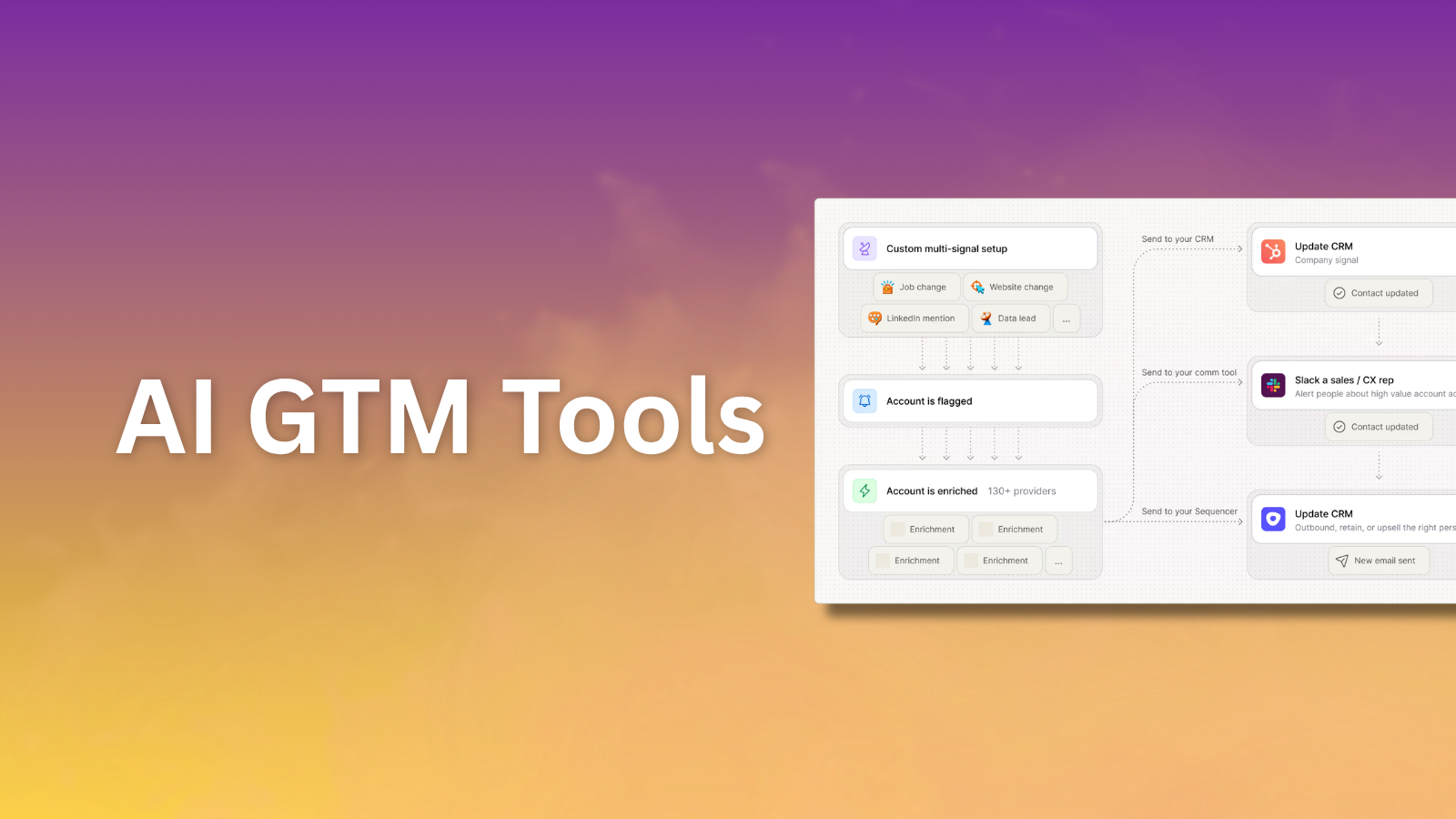
Clay is one of the most important tools in the modern AI GTM stack because it sits close to the data.
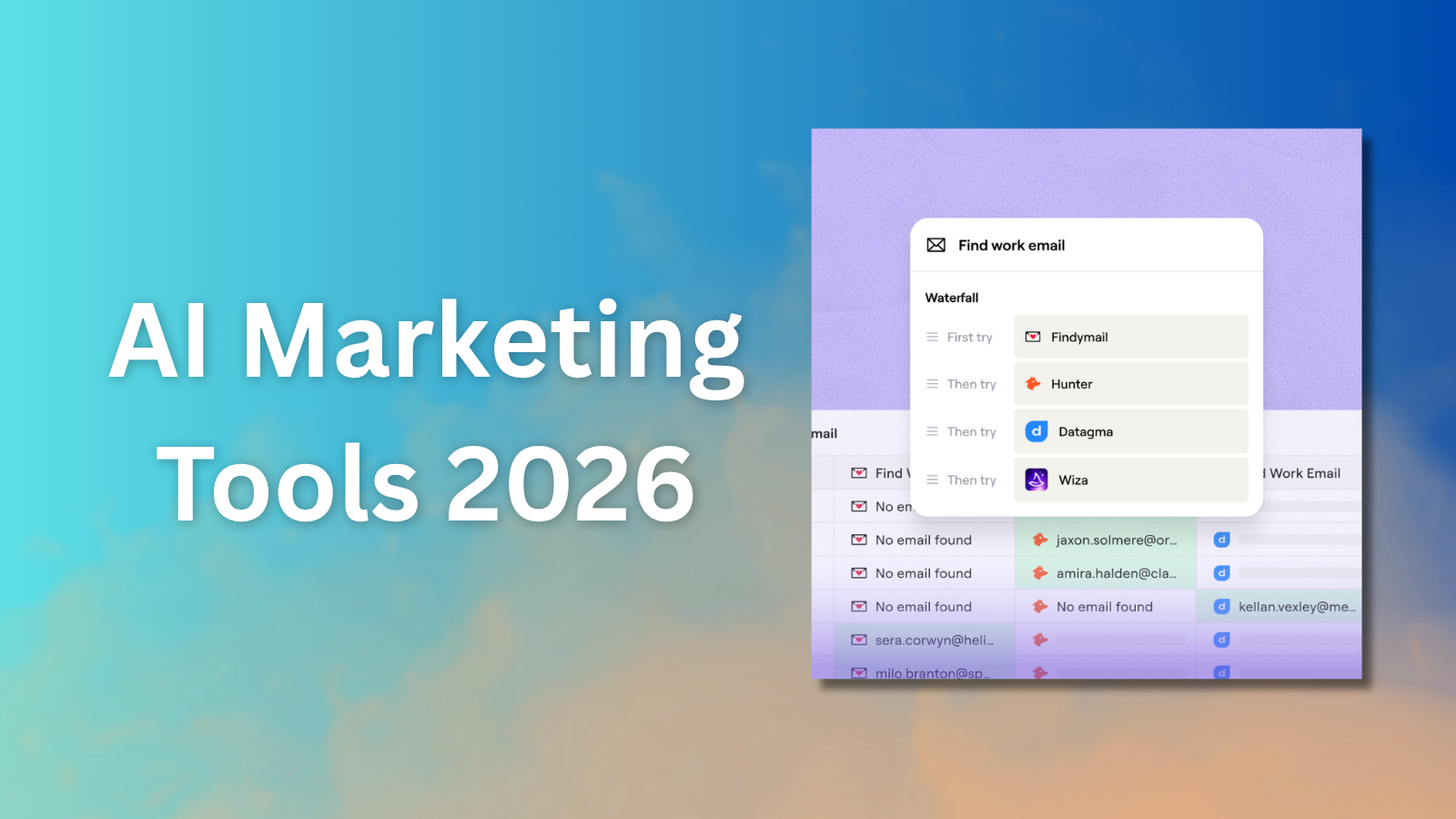
The reason I like Clay conceptually is that it is not just "find emails." It is closer to a workflow layer for GTM research, enrichment, scoring, and personalization.
The way I think about Clay:
- Build account lists.
- Enrich companies and contacts.
- Pull in buying signals.
- Use AI to research accounts.
- Score prospects before sending anything.
- Push cleaner data into outbound tools or CRM.
This is why Clay should be part of the broader AI GTM tools graph, not just a random sales tool mention.
Where it breaks: Clay can get expensive or messy if you do not know what you are trying to enrich. The tool rewards operators who already understand the workflow. If the ICP is bad, Clay will only help you create a cleaner version of a bad list.
Best for: enrichment, prospect research, outbound workflow building.
3. Hightouch
Hightouch is in a different category from most AI marketing tools on this list.
I would not recommend it to a solo marketer with no data infrastructure. But for a company that already has a warehouse and wants marketing to activate customer data without waiting on engineering every week, Hightouch is interesting.
The use cases I care about:
- Build audiences from warehouse data.
- Sync audiences into ad platforms and lifecycle tools.
- Power more personalized campaigns.
- Use customer data for retention, expansion, and paid media.
- Bring AI closer to real first-party data.
This matters because a lot of "AI marketing" fails at the data layer. The model can write copy all day, but if the audience is wrong, the campaign is still wrong.
Where it breaks: Hightouch is probably too much tool if your data is not clean or if your team is not ready to operationalize the warehouse.
Best for: customer data activation, lifecycle, paid audiences, enterprise or scaling B2B teams.
4. AdQuick
AdQuick is the tool on this list that may look least like an AI marketing tool at first.
But I like it because out-of-home is becoming more measurable, and AI can make planning, creative testing, and market selection easier. AdQuick positions itself around planning, buying, and measuring out-of-home campaigns, including digital OOH.
Where I would use it:
- Testing local awareness plays.
- Layering OOH into a broader launch campaign.
- Comparing markets before buying media.
- Using OOH as a brand or category creation channel.
- Pairing out-of-home with digital retargeting.
Most B2B marketers over-index on the same channels. Search, LinkedIn, email, maybe events. AdQuick is interesting because it opens up a paid channel that most growth teams assume is too manual.
Where it breaks: OOH is not the first channel I would add for an early-stage B2B SaaS company. I would want a strong ICP, a real market, and a reason to believe offline reach will create pipeline or awareness.
Best for: OOH planning, launch campaigns, local market activation, brand plays.
5. Unify
Unify is one of the more interesting AI GTM platforms because it is built around intent signals and outbound action.
The workflow is not just "send more cold emails." The stronger version is:
- Capture signals.
- Prioritize accounts.
- Build plays.
- Research prospects.
- Personalize outreach.
- Route work between humans and AI.
That matters because outbound is getting noisier. I do not want a tool that simply helps send more generic emails. I want a system that helps decide who deserves outreach right now.
Where it breaks: tools like Unify need a real operating motion around them. If sales and marketing are not aligned on signals, routing, and follow-up, the platform can turn into another dashboard.
Best for: signal-led outbound, AI GTM workflows, warm outbound.
6. Instantly
Instantly is in the outbound execution layer.
I would think of it as a tool for lead finding, cold email campaigns, deliverability, and outbound automation. It is not the same thing as Clay or Unify. Clay helps with data and enrichment. Unify helps with signals and plays. Instantly helps you execute outreach.
The main use cases:
- Find leads.
- Launch outbound campaigns.
- Manage sending accounts.
- Track replies and campaign performance.
- Use AI to help generate and optimize outreach.
Where it breaks: this category is dangerous if you use it lazily. If the list is weak, the message is generic, or the domains are not protected, you can burn reputation quickly.
Best for: outbound execution and cold email systems.
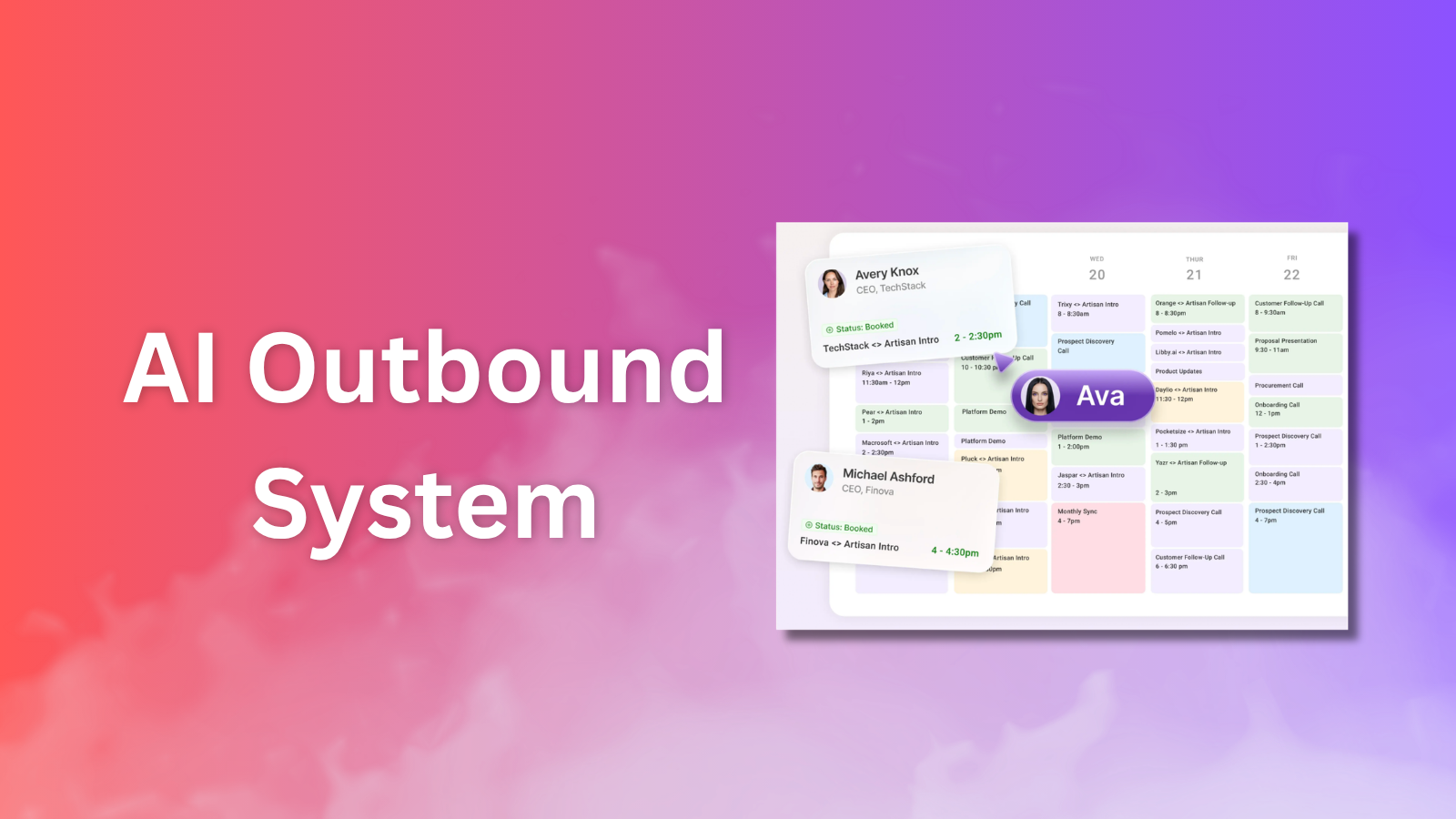
For a more complete workflow, this should eventually link tightly to the AI outbound system article.
7. Gumloop
Gumloop is one of the AI automation tools I am most interested in.
The reason is simple: marketers are turning into workflow builders. A lot of growth work is not one task. It is a chain of tasks:
- Pull data from a source.
- Clean it.
- Classify it.
- Summarize it.
- Decide what to do next.
- Push it into another tool.
- Alert someone if it matters.
Gumloop is built for those chains. It lets teams build AI agents and automations without needing to turn every marketing workflow into an engineering project.
I would use it for:
- Content research workflows.
- Competitor monitoring.
- Lead enrichment QA.
- Weekly reporting.
- CRM cleanup.
- Meeting prep.
- Campaign analysis.
Where it breaks: like every automation tool, it can create silent mistakes if nobody owns QA. The more autonomous the workflow, the more important the review gate.
Best for: agentic automation, internal marketing ops, repeatable research workflows.
8. Crayon
Crayon is a competitive intelligence platform.
This is one of the categories I think more marketers should care about. Everyone says they want positioning, messaging, and better campaigns. But most teams do not have a consistent system for tracking what competitors are saying, launching, changing, and pushing into market.
Crayon is useful for:
- Competitor monitoring.
- Battlecards.
- Sales enablement.
- Market intelligence.
- Win/loss context.
- Competitive newsletters and alerts.
Where AI makes this more interesting is summarization and prioritization. You do not need every tiny competitor update. You need the changes that affect positioning, sales conversations, pricing, product pages, or campaign strategy.
Where it breaks: competitive intelligence can become a content treadmill. The point is not to document everything competitors do. The point is to help sales and marketing make better decisions.
Best for: product marketing, competitive intelligence, sales enablement.
9. Vector
Vector is one of the more interesting paid media tools because it pushes beyond anonymous account-level targeting.
Vector describes itself around contact-level advertising. The idea is to build ad audiences from real people who are engaging with your site, campaigns, CRM, or broader buyer signals.
The use cases I care about:
- Identify higher-intent visitors.
- Build sharper ad audiences.
- Retarget people who fit the ICP.
- Push audiences to LinkedIn, Google, Meta, Reddit, and other channels.
- See which contacts click ads without converting.
This is important because paid media is full of waste. A lot of B2B campaigns target broad job titles and hope the right people show up. Vector is interesting because it tries to make the audience layer more precise.
Where it breaks: contact-level advertising needs careful privacy and compliance review. I would also want to measure pipeline impact, not just CTR.
Best for: B2B paid media, retargeting, contact-level audience building.
10. Semrush
Semrush is still one of the most useful SEO and competitive research platforms.
What makes Semrush more interesting in 2026 is that AI visibility is becoming part of the search workflow. Their AI visibility features track how brands show up across AI search surfaces, not only classic Google rankings.
I would use Semrush for:
- Keyword research.
- Competitor research.
- Content gap analysis.
- Paid keyword research.
- AI visibility monitoring.
- Technical SEO audits.
Where it breaks: Semrush can overwhelm you if you do not have a content strategy. More data does not automatically create better content.
Best for: SEO, AI visibility, competitive research, content planning.
11. HubSpot Breeze
HubSpot Breeze is HubSpot's AI layer across marketing, sales, service, and CRM workflows.
I would not use HubSpot Breeze as a standalone AI tool. I would care about it if HubSpot is already the system of record.
The advantage is context. If the AI is inside your CRM, it can help with:
- Contact and company context.
- Segmentation.
- Content generation.
- Lead follow-up.
- Sales and marketing handoffs.
- Campaign analysis.
Where it breaks: HubSpot can get expensive and complex as teams scale. AI inside the CRM is useful, but only if the CRM data is trustworthy.
Best for: teams already using HubSpot as their marketing and sales base.
12. Jasper
Jasper has moved from "AI copywriter" toward a broader AI marketing platform.
The reason I would still include Jasper is brand control. Generic AI content is not very interesting anymore. But a tool that helps marketing teams create on-brand campaign assets, social posts, landing page copy, and email variants in a more controlled workspace can still be useful.
I would use Jasper for:
- Campaign copy variations.
- Brand voice workflows.
- Multi-channel content assets.
- Team collaboration around AI content.
- Faster first drafts for marketing campaigns.
Where it breaks: if you already have strong Claude or ChatGPT workflows and a small team, Jasper may feel redundant. It makes more sense when brand consistency, review, and team workflow matter.
Best for: marketing teams producing lots of on-brand campaign content.
13. Copy.ai
Copy.ai is another tool that has moved beyond simple copywriting into GTM workflows.
I like the category direction here. The future of AI marketing tools is not a blank text box. It is repeatable workflows that connect research, messaging, enrichment, and execution.
Use cases I would evaluate:
- Account research.
- ABM campaign briefs.
- Lead processing.
- Event promotion.
- Paid ad copy.
- Outbound email workflows.
- Sales and marketing handoffs.
Where it breaks: if the workflow templates do not match how your team actually works, you may end up fighting the tool.
Best for: GTM workflow automation and campaign execution.
14. Surfer
Surfer is useful when I want to turn SEO content from guesswork into a more structured editing process.
It helps with:
- SERP analysis.
- Content briefs.
- On-page optimization.
- Content scoring.
- Entity and term coverage.
- Updating old articles.
I do not think content should be written to satisfy a tool score. But tools like Surfer are useful because they force you to check whether the article covers the topic fully enough.
Where it breaks: over-optimizing for content score can make writing sound dead. Use it as a diagnostic tool, not a creative director.
Best for: SEO content optimization and content refreshes.
15. Frase
Frase is another SEO and content optimization tool, and I like it for research-heavy content workflows.
The biggest value is reducing the manual SERP research stage:
- Analyze top-ranking pages.
- Pull common questions.
- Create outlines.
- Build content briefs.
- Optimize drafts.
- Plan content around search and AI discovery.
Where it breaks: Frase can help you understand what is already ranking, but it will not automatically create a differentiated point of view. You still need original judgment.
Best for: SEO briefs, AEO-focused content planning, research-heavy writing.
16. Writesonic
Writesonic is worth watching because it is leaning into AI search visibility and GEO/AEO workflows, not just content generation.
That matters for a site like Growth Overflow. I care about how content shows up in:
- AI Overviews
- ChatGPT
- Perplexity
- Gemini
- Claude
- Other answer engines
The more AI search becomes part of buyer research, the more marketers need tooling around citations, mentions, and answer visibility.
Where it breaks: AI visibility tools are still an emerging category. I would not treat any single dashboard as the full truth.
Best for: AI search visibility, GEO/AEO monitoring, content workflows.
17. AdCreative.ai
AdCreative.ai is built for generating ad creatives, ad copy, product photos, UGC-style videos, and creative variations.
This is one of those tools I would use carefully. The promise is attractive: more ad variants, faster testing, less designer bottleneck.
The workflow I like:
- Start with human positioning.
- Generate multiple creative concepts.
- Test variants with a small budget.
- Learn which angles perform.
- Feed learnings back into the next creative batch.
Where it breaks: bad creative strategy at scale is still bad creative strategy. The tool can generate variations, but it cannot fix a weak offer or unclear audience.
Best for: paid social creative testing, e-commerce creative, ad iteration.
18. Canva Magic Studio
Canva Magic Studio is one of the easiest tools to underestimate.
For serious design teams, Canva is not always the final production tool. But for marketers, it is often the fastest way to get from idea to usable asset.
I would use it for:
- Social graphics.
- Ad concepts.
- Simple presentations.
- Landing page visuals.
- Brand-safe templates.
- Quick creative variations.
The AI features matter because they reduce the blank-page problem. You can generate starting points, resize assets, create variants, and stay inside the same design workspace.
Where it breaks: Canva can make everything look like Canva. Strong brand systems still matter.
Best for: fast creative production and campaign assets.
19. Notion AI
Notion AI is less of a marketing tool and more of a marketing operating system if your team already lives in Notion.
The reason I include it is that marketing work creates a ton of internal knowledge:
- Campaign notes.
- Content calendars.
- Positioning docs.
- Customer insights.
- Meeting notes.
- Research.
- Experiment logs.
Notion AI can help search, summarize, draft, and automate parts of that workspace.
Where it breaks: Notion becomes chaos if nobody owns information architecture. AI makes messy workspaces easier to query, but it does not replace basic organization.
Best for: marketing docs, knowledge management, meeting notes, internal agents.
20. Zapier
Zapier has been around forever, but it is still relevant because marketing teams need automation between tools.
The AI layer makes it more interesting:
- Connect apps.
- Build workflows.
- Create agents.
- Route leads.
- Update CRM records.
- Trigger Slack alerts.
- Automate repetitive GTM tasks.
I would use Zapier when the workflow is straightforward and app coverage matters more than deep customization.
Where it breaks: complex automations can become fragile. You need naming conventions, ownership, and alerts when things fail.
Best for: app-to-app automation and simple AI workflows.
21. Make
Make is similar to Zapier in category, but it feels more visual and flexible for complex workflows.
I would consider Make when I need more control over the logic:
- Multi-step workflows.
- Branching logic.
- AI app integrations.
- Operations workflows.
- Data movement between tools.
- Visual debugging.
Where it breaks: Make can become a beautiful map of a messy process. The workflow still needs a clear owner.
Best for: visual automation, multi-step workflows, AI ops.
22. Descript
Descript is one of the tools I would use for audio and video content production.
For marketers, the workflow is simple:
- Record a conversation.
- Clean up audio.
- Edit by text.
- Create clips.
- Turn ideas into social assets.
- Repurpose podcasts, webinars, and interviews.
AI video tools are getting flashier, but editing still matters. Descript is useful because it reduces the pain of working with raw recordings.
Where it breaks: it will not create a strong content strategy. It helps you produce and edit once the content exists.
Best for: podcasts, webinars, talking-head videos, editing and repurposing.
23. OpusClip
OpusClip is built for turning long videos into short clips.
This is useful if you already have:
- Podcasts
- Webinars
- YouTube videos
- Founder interviews
- Product demos
- Event recordings
The tool analyzes long-form footage and creates short-form clips with captions and reframing. That is valuable because most teams have long-form content sitting around unused.
Where it breaks: not every long video has good clips inside it. AI can find moments, but it cannot create a compelling point where none exists.
Best for: repurposing long-form video into shorts.
24. Synthesia
Synthesia is one of the better-known AI video platforms for business.
The use cases I would think about:
- Training videos.
- Internal enablement.
- Product explainers.
- Localized video content.
- Customer education.
I would not use it for everything. For founder-led content, real humans are still better. But for repeatable enablement videos, localization, and training assets, AI avatars can make sense.
Where it breaks: overly polished avatar videos can feel cold if the topic needs trust or personality.
Best for: business video, training, localization, enablement.
25. HeyGen
HeyGen is interesting for personalized video.
The marketing use case is not just "make an avatar." The stronger use case is variable-driven video:
- Add a viewer's name.
- Mention a company.
- Create sales follow-up videos.
- Localize video assets.
- Build video templates for campaigns.
Where it breaks: personalization can get creepy fast. I would test it in narrow, high-intent contexts before using it broadly.
Best for: personalized video, sales follow-up, localized content.
26. Pictory
Pictory is another AI video tool, but I would put it closer to text-to-video and content repurposing.
It can help turn:
- Scripts into videos.
- Blog posts into videos.
- Presentations into videos.
- Long content into shorter visual assets.
This is useful for marketers who want to increase content output without hiring a full video team.
Where it breaks: text-to-video tools can create generic visuals. You still need a clear story and brand direction.
Best for: turning written content into simple video assets.
27. Webflow
Webflow is not only an AI tool, but it belongs in this list because marketers need to build and ship web experiences faster.
The marketer who can launch landing pages, test copy, and build basic site experiences without waiting on a developer has a real advantage.
I would use Webflow for:
- Landing pages.
- Content hubs.
- Microsites.
- Campaign pages.
- SEO pages.
- Conversion experiments.
Where it breaks: Webflow gives marketers more power, but it does not replace clear information architecture, design taste, or technical SEO hygiene.
Best for: building marketing sites and landing pages.
28. ActiveCampaign
ActiveCampaign is a lifecycle and email automation platform.
I would include it for teams that need more than a newsletter tool but do not want the complexity of a full enterprise marketing automation platform.
Use cases:
- Email automation.
- Lead nurturing.
- Segmentation.
- Triggered campaigns.
- Customer journeys.
- CRM-lite workflows.
Where AI can help is in segment ideas, email drafts, testing, and workflow recommendations.
Where it breaks: lifecycle automation can become noise if the messaging does not map to real buyer intent.
Best for: lifecycle marketing, email automation, nurture programs.
29. GetResponse
GetResponse is another email and marketing automation platform that can work well for smaller teams, creators, and lean businesses.
I would consider it for:
- Email campaigns.
- Landing pages.
- Marketing automation.
- Webinars.
- Simple funnels.
- Lead capture.
This is not the most advanced B2B SaaS growth platform, but it is commercially relevant and useful for many operators who want a simpler all-in-one marketing stack.
Where it breaks: as the GTM motion gets more complex, you may outgrow the platform and need stronger CRM, attribution, and data activation.
Best for: email marketing, simple funnels, smaller teams.
30. Smartlead
Smartlead belongs in the outbound infrastructure bucket.
If Instantly is one cold email execution option, Smartlead is another serious option to evaluate for outbound at scale.
The use cases:
- Manage sending accounts.
- Run cold email campaigns.
- Centralize replies.
- Monitor campaign performance.
- Support deliverability-focused outbound.
Where it breaks: same warning as Instantly. More sending power does not fix bad targeting, weak messaging, or poor deliverability discipline.
Best for: outbound teams that need cold email infrastructure.
My Actual Stack If I Were Starting From Scratch
If I were building a marketing stack from scratch for a B2B SaaS or AI company, I would not buy all 30 tools.
I would start with a smaller system:
- Claude for thinking, writing, analysis, and internal tools.
- Clay for enrichment and outbound research.
- Gumloop for repeatable automation.
- Semrush or Surfer for SEO and content workflows.
- Canva or AdCreative.ai for fast creative testing.
- Instantly or Smartlead if outbound is a serious channel.
- HubSpot or Hightouch depending on whether the company is CRM-led or warehouse-led.
Then I would add tools only when a workflow becomes painful enough.
That is the main point. AI tools should be pulled into a workflow. They should not become the strategy.
Tools I Would Not Overpay For Yet
I would be careful with any tool that promises:
- Fully automated pipeline.
- AI content that needs no editing.
- One-click ad performance improvement.
- Autonomous outbound with no human review.
- Perfect attribution.
- AI search visibility as a guaranteed outcome.
Most of the value still comes from the operator:
- Who is the audience?
- What is the signal?
- What is the offer?
- What should AI do?
- Where does a human review the output?
- How will we know if it worked?
The best AI marketing tools make strong operators faster. They do not turn weak strategy into strong strategy.
The Bottom Line
The AI marketing tools I care about most in 2026 are the ones that sit close to data, judgment, and execution.
The winners are not just "AI writers." They are:
- AI copilots that help with strategy and internal tools.
- Data tools that improve targeting and segmentation.
- Enrichment tools that make outbound more precise.
- Automation tools that turn messy workflows into repeatable systems.
- Creative tools that help marketers test more ideas faster.
- Search and AEO tools that help content get discovered in a changing search environment.
If you want the clean evergreen version of this list, start with Best AI Marketing Tools. If you want the broader GTM stack, go to Best AI GTM Tools. If outbound is the main channel, the next article to read is How to Build an AI Outbound System.
Sources Checked
I checked current official product pages or docs while drafting this list: